
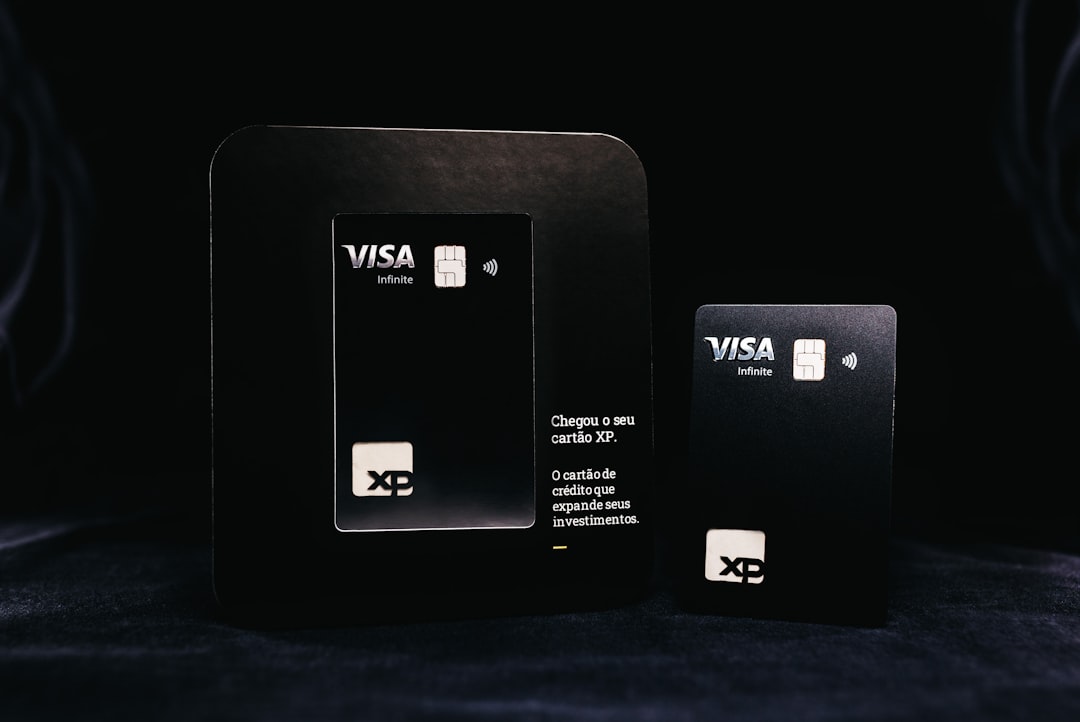
Photo by Jonathan Borba on Unsplash
Your phone holds the keys to your financial kingdom. With mobile banking apps handling everything from quick balance checks to major transfers, understanding which security features actually protect your money has never been more important.
This guide breaks down the security features offered by major banks, helping you spot the difference between genuine protection and marketing fluff. We’ll compare what the big players offer and show you which features matter most for keeping your accounts safe.
Essential Security Features Every Banking App Should Have
Modern banking apps need multiple layers of protection to keep your money safe. The most basic requirement is two-factor authentication (2FA), which adds an extra step beyond your password. This might be a text message code, email verification, or an app-generated token.
Biometric login through fingerprints, face recognition, or voice patterns has become standard. These features are harder for criminals to fake than passwords, though they’re not foolproof. Most major banks now offer at least fingerprint login as standard.
App-specific PINs create another barrier. Even if someone gets hold of your unlocked phone, they’d still need your banking PIN to access your accounts. The best apps let you set this PIN independently from your phone’s lock screen.
Session timeouts automatically log you out after a period of inactivity. While sometimes annoying, this feature protects you if you forget to log out or someone else picks up your phone.
Comparing Major UK Bank Security Features
UK banks have invested heavily in mobile security, but some go further than others. Here’s how the major players stack up:
| Bank | Biometric Login | 2FA Options | App Lock | Fraud Alerts | Card Controls |
|---|---|---|---|---|---|
| Barclays | Face/Touch ID | SMS/App | ✓ | Real-time | Freeze/Unfreeze |
| HSBC | Face/Touch/Voice ID | SMS/Secure Key | ✓ | Real-time | Spending limits |
| Lloyds | Face/Touch ID | SMS/App | ✓ | Real-time | Freeze/Location |
| Santander | Face/Touch ID | SMS/App | ✓ | Real-time | Freeze/Categories |
| NatWest | Face/Touch ID | SMS/App | ✓ | Real-time | Full controls |
| Halifax | Face/Touch ID | SMS/App | ✓ | Real-time | Basic freeze |
Most UK banks now offer comprehensive security packages, but some stand out. HSBC’s voice recognition adds an extra layer many competitors lack, while NatWest’s card controls are particularly detailed, letting you block specific merchant types or set location-based restrictions.
US Banking App Security Landscape
American banks often lead on innovation but vary more in their security offerings. The competitive landscape means some smaller banks punch above their weight with cutting-edge features.
Chase leads with comprehensive biometric options and detailed transaction monitoring. Their app learns your spending patterns and flags unusual activity quickly.
Bank of America offers robust fraud protection with their “Zelle scam protection” and detailed spending controls. Their app also provides security tips based on your usage patterns.
Wells Fargo focuses on transaction verification, sending alerts for any unusual account activity. However, their app has faced criticism for being slower to adopt newer biometric methods.
Capital One excels in real-time notifications and their “Eno” assistant that warns about potentially fraudulent websites during online shopping.
According to the Federal Trade Commission, consumers should prioritize banks that offer multiple authentication methods and real-time fraud monitoring.
Advanced Security Features to Look For
Beyond the basics, some banks offer sophisticated protection that can make a real difference to your financial security.
Behavioral analytics track how you typically use your phone and banking app. If someone else tries to access your account, the app might notice differences in typing patterns, how you hold your device, or navigation habits.
Geolocation verification checks where you’re logging in from. If someone tries to access your account from a different country while your phone is still in your home town, the app can block the attempt and alert you.
Device binding links your banking app to your specific phone. Even if someone steals your login details, they can’t access your account from a different device without additional verification.
Transaction limits and cooling-off periods let you set daily spending limits or require a waiting period for large transfers. While sometimes inconvenient, these features can prevent major losses if your account is compromised.
Real-Time Fraud Protection and Alerts
The speed of fraud detection can mean the difference between losing pounds and losing thousands. Modern banking apps use artificial intelligence to spot suspicious activity within seconds of it happening.
Instant notifications for every transaction might seem overwhelming, but they’re your first line of defense. Set up alerts for any amount over £0 if possible – you can always turn them down later.
Smart categorization helps apps spot when your spending doesn’t match your usual patterns. If you typically spend £50 weekly on groceries but suddenly there’s a £500 supermarket transaction, the app should flag it.
Merchant verification systems check if the businesses you’re paying are legitimate. Some apps warn you about known scam merchants or recently reported fraudulent websites.
Location-based blocking can prevent your card being used in countries you’ve never visited or areas where fraud is common. Most apps let you quickly unblock your card when traveling legitimately.
Red Flags: When Banking Security Falls Short
Not all security features are created equal. Some banks use impressive-sounding terms for basic protection, while others have genuine weaknesses that put your money at risk.
SMS-only authentication is becoming outdated. Text messages can be intercepted or redirected, making this method less secure than app-based codes or biometric verification.
No app locking means anyone with your unlocked phone can access your banking. If your bank doesn’t offer an app-specific PIN or biometric lock, consider switching.
Delayed fraud alerts that take hours or days to reach you give criminals time to maximize damage. Real-time notifications should be standard, not a premium feature.
Limited transaction controls leave you vulnerable. If you can’t quickly freeze your card, set spending limits, or block certain types of transactions, you’re relying entirely on the bank’s automated systems.
Poor customer service integration becomes critical during security incidents. If you can’t quickly speak to someone about suspicious activity, small problems can become major financial disasters.
Citizens Advice reports that banking security complaints often stem from inadequate real-time protection rather than sophisticated hacking attempts.
How to Maximize Your Mobile Banking Security
The strongest app security means nothing if you’re not using it properly. Most successful banking fraud happens because of user mistakes rather than security system failures.
Enable every security feature available. Yes, entering a PIN every time you open your banking app is annoying. But it’s far less annoying than explaining to your bank why someone emptied your account.
Use unique, strong passwords for your banking apps and associated email accounts. Password managers make this easier – they generate complex passwords and remember them for you.
Keep your app updated. Banks constantly patch security vulnerabilities, but these fixes only work if you download the updates. Enable automatic updates for critical apps like banking.
Review your security settings regularly. Your risk profile changes over time. If you start traveling more for work, you might need to adjust location-based security. If you get married, you might want to add trusted contacts for emergency access.
Monitor your accounts actively. Even the best security features can’t catch everything. Check your statements monthly and report anything suspicious immediately.
Conclusion
Mobile banking security isn’t just about having the latest features – it’s about finding a bank that combines strong protection with practical usability. The best apps offer multiple layers of security without making basic banking tasks frustratingly complex.
UK banks generally offer more consistent security standards across the board, while US banks show more variation in their approaches. Barclays, HSBC, and Chase currently lead in comprehensive security features, but smaller banks sometimes innovate faster than established players.
Remember that no security system is perfect, and your own behavior matters as much as your bank’s features. Enable all available protections, stay alert to suspicious activity, and don’t hesitate to contact your bank if something seems off.
The mobile banking landscape changes rapidly, so review your bank’s security offerings annually. What seemed cutting-edge last year might be standard today, and banks that fall behind on security often struggle to catch up when problems arise.
Next read: Ready to switch banks for better security? Check our guide on how to change banks safely: /how-to-change-banks-safely